Your service menu, bookable online.
Your trade's services, hours and rules come set up. Clients book on their own.
Free, with common-sense limits. No card needed.
Pick your trade
Three steps to your booking link
-
1 · Pick your trade
Choose from ten trades. Starting services, opening hours and booking rules are filled in for you.
-
2 · Make it yours
Edit services, prices and durations, set each person's working hours, and decide how much notice you need.
-
3 · Share your link
Put your booking page link on your website, social profiles and business cards. Clients only ever see times that are free.
What your clients see
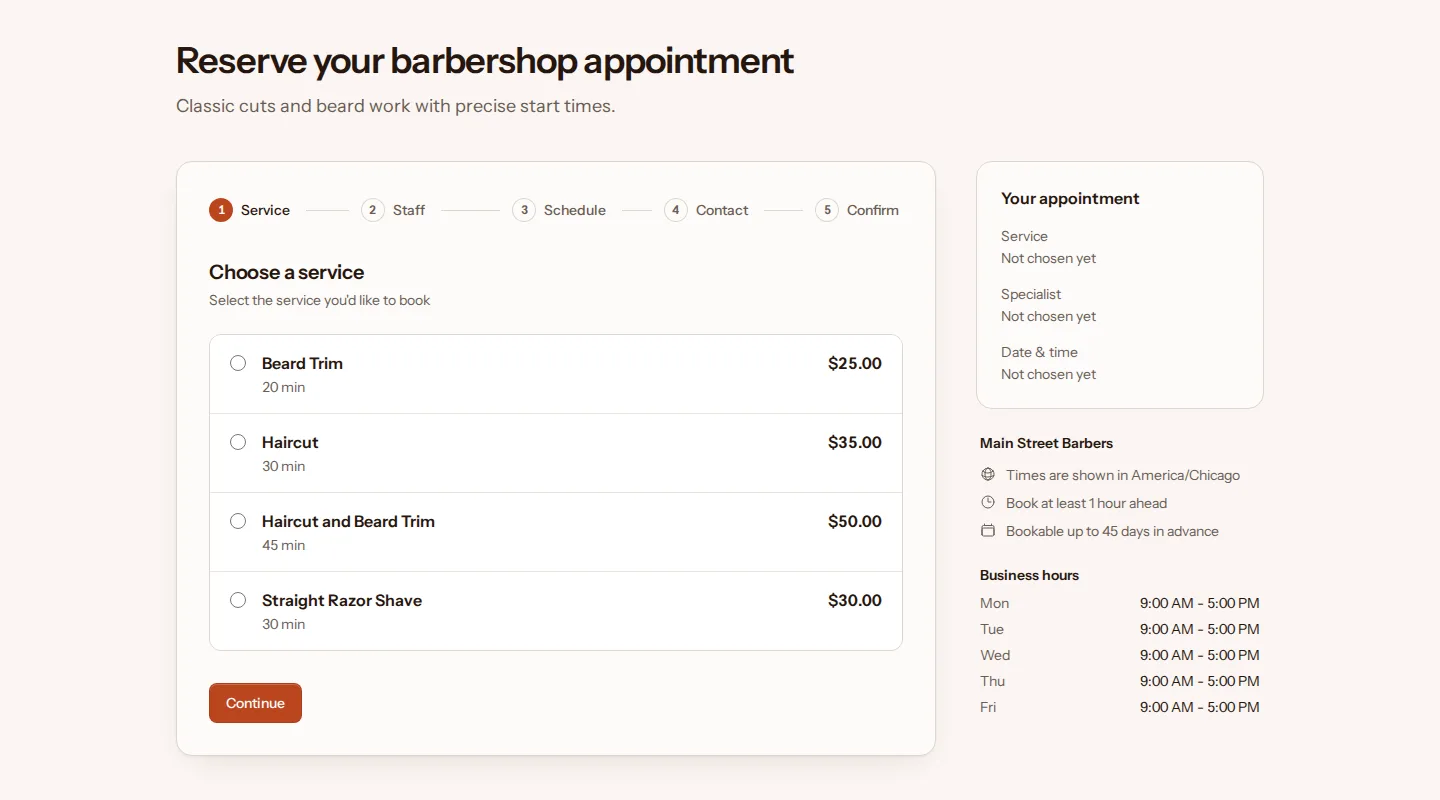
A booking page with your name, logo and colors. Clients pick a service, a time and, if they like, the person they want to see. They book as guests with a name and email address.
The confirmation email has add-to-calendar links for Google, Outlook and Yahoo, and a private link for changing the booking later.
Plans change. Your phone stays quiet.
Clients move it
The manage link in every email lets clients pick a new time from your open slots.
Or cancel it
They can cancel from the same link, and the time opens up again on your booking page.
On your terms
You set the cutoff. After it, the online options close and clients contact you directly.
A reminder email with the same manage link in it goes out a day before each appointment, or a day before online changes close if your cutoff is a day or longer.
Your back office
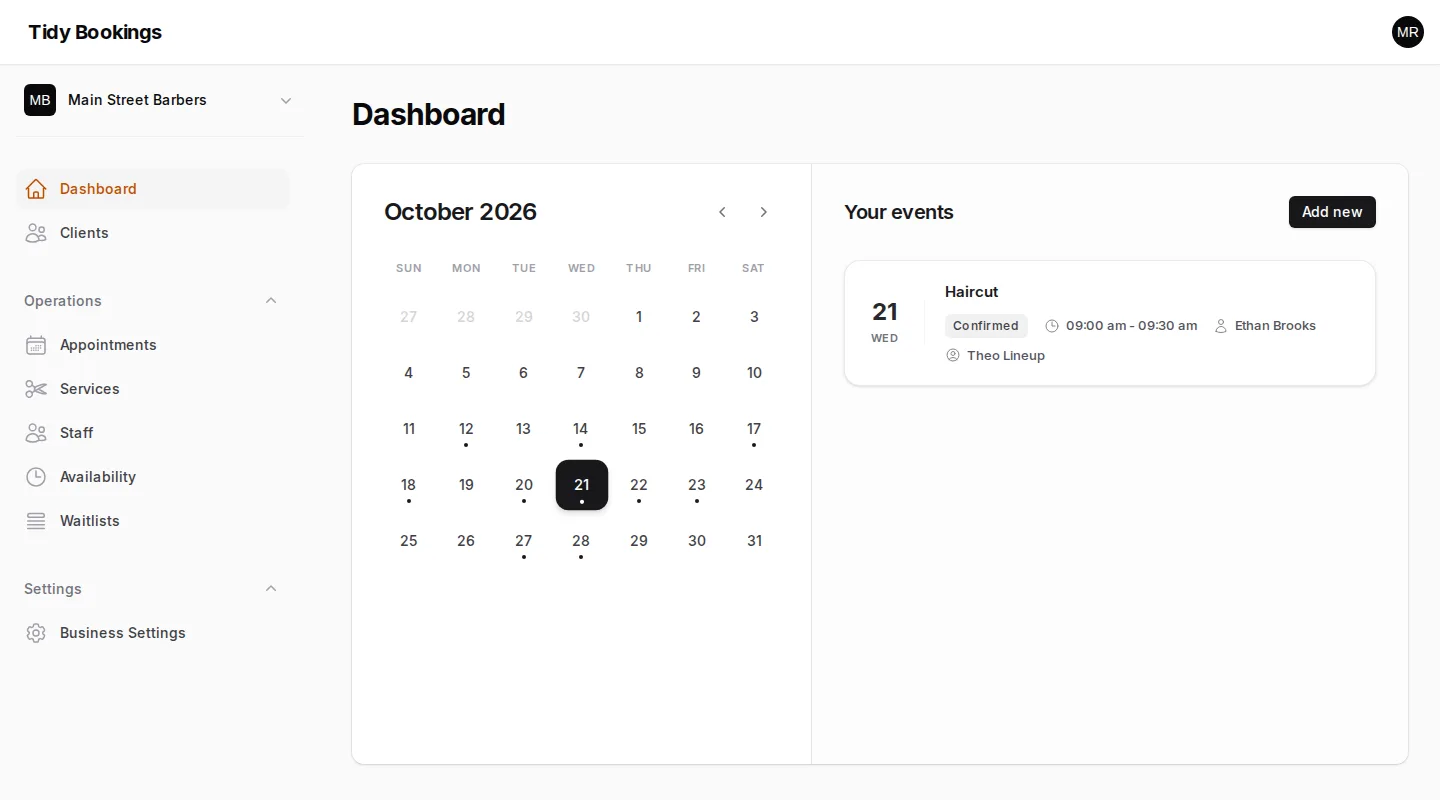
- Services Duration, buffer time, price and group capacity
- Staff Each person's own weekly hours and time off
- Booking rules Notice, how far ahead, cancel and reschedule cutoffs
- Waitlist Full days take names; they hear when a spot opens
- Clients A record of everyone who has booked with you
- Businesses Run more than one from a single login
Ten trades, ready to go
- Hair salons 4 starting services
- Barbershops 4 starting services
- Nail salons 4 starting services
- Dental offices 4 starting services
- Family practices 4 starting services
- Personal trainers 3 starting services
- Pet groomers 3 starting services
- Massage therapists 2 starting services
- Tutors 3 starting services
- Cleaning services 3 starting services
Questions owners ask
- What is TidyBookings?
- TidyBookings is online booking software for small service businesses. You get a booking page with your name, logo and colors, plus a back office for services, staff hours, booking rules and client records. Your clients book, reschedule and cancel on their own.
- How much does it cost?
- TidyBookings is free to use, with common-sense limits for now. There are no paid plans today, and every account gets every feature.
- Do my clients need an account?
- No. Clients book as guests with their name and email address; a phone number is optional. Their confirmation email holds a private link for managing the booking.
- How do clients reschedule or cancel?
- Every confirmation and reminder email includes a private manage link. Clients can move or cancel their booking themselves until the cutoff you set, for example 12 or 24 hours before the appointment. After the cutoff, the online options close and they contact you directly.
- Can clients pay online or leave a deposit?
- Not at the moment. TidyBookings handles booking, not payments, so clients pay you the way they do today.
- My trade isn't on the list. Can I still use it?
- Yes. Start from the trade closest to yours, then rename, add or remove services until the menu matches what you offer. Every preset is only a starting point.
Your board is ready when you are.
Free, with common-sense limits. No card needed.