Online booking for tutors
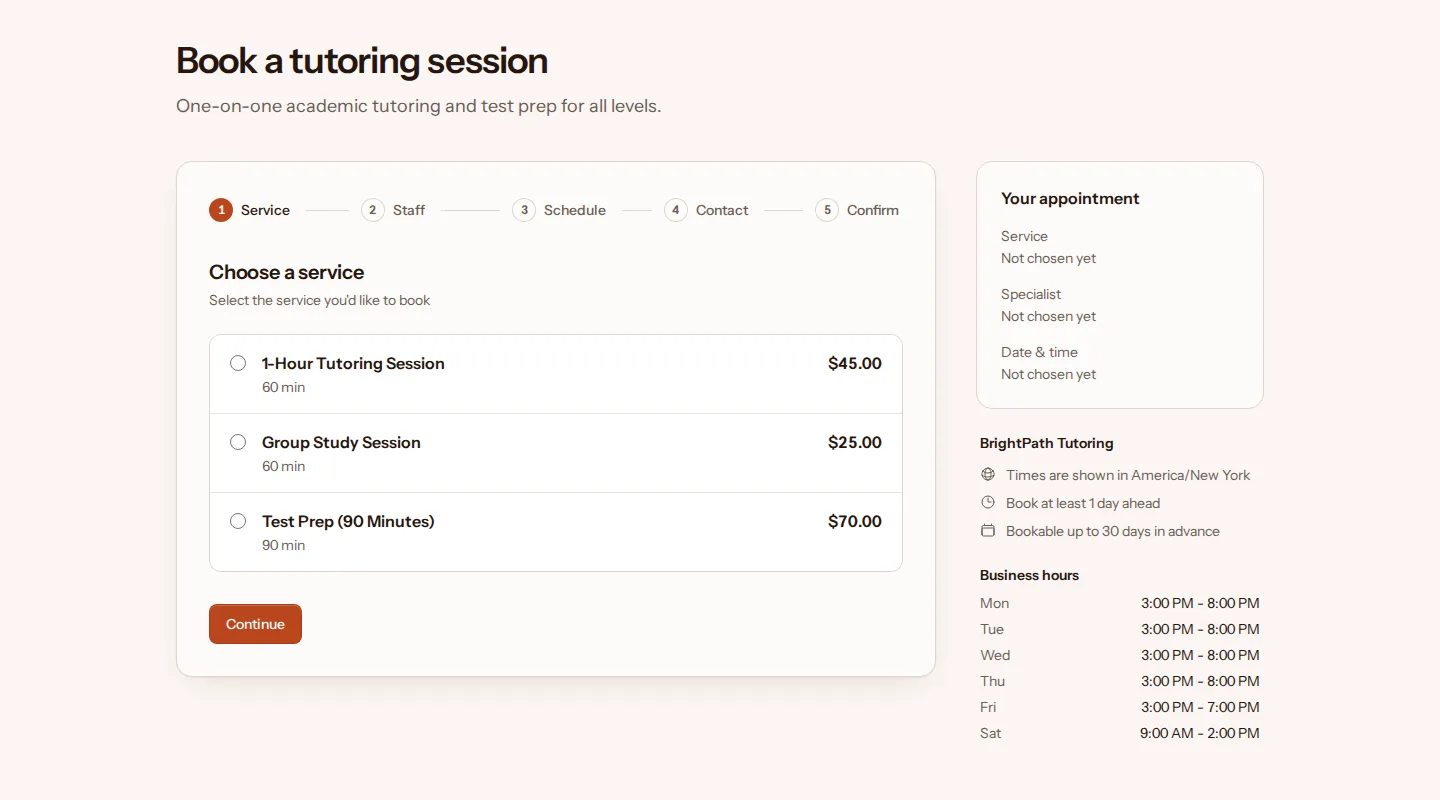
Students and parents book a session, test prep or group study from your page after school or on Saturday morning. The tutor preset starts with those hours already set.
Starting menu
Hours and rules
- Open Mon–Thu
- 3:00 PM–8:00 PM
- Open Fri
- 3:00 PM–7:00 PM
- Open Sat
- 9:00 AM–2:00 PM
- Book at least
- 24 hours ahead
- Book up to
- 30 days ahead
- Cancel online until
- 24 hours before
- Reschedule online until
- 24 hours before
You can change every service, hour and rule. Free, with common-sense limits. No card needed.
After school and Saturday mornings
Tutoring happens when school is out, so the preset opens Monday to Thursday from 3:00 PM to 8:00 PM, Friday from 3:00 PM to 7:00 PM and Saturday from 9:00 AM to 2:00 PM. Change them for the summer or around exams.
Every session keeps 15 minutes after it for notes or the walk to the next student. Bookings need 24 hours' notice and can be made up to 30 days ahead. The group study session starts with one place; raise its capacity and several students can join the same hour.
A parent can book with their own email address, so the confirmation, the reminder and the reschedule link go to them. TidyBookings doesn't repeat bookings, so weekly students book each session from your page.
How students and parents book
-
1 · Pick a service
They see your menu with each service's length and price.
-
2 · Choose a tutor
A tutor by name, or anyone available.
-
3 · Pick a time
Only free times appear, at least 24 hours ahead and up to 30 days out.
-
4 · Book as a guest
A name and email address, plus a phone number if they like. Nobody needs an account.
The confirmation email has add-to-calendar links for Google, Outlook and Yahoo, and a private link to reschedule or cancel until 24 hours before. A reminder follows 2 days before the appointment, while they can still change it online. If the day they want is full, they can join that day's waitlist.
Try these steps at the demo tutor
Guides for tutors
Start from the tutor preset
Sign up, pick Tutor as your trade, and your booking page starts with this menu, these hours and these rules. Change any of them before you share the link.
Free, with common-sense limits. No card needed.