Online booking for family practices
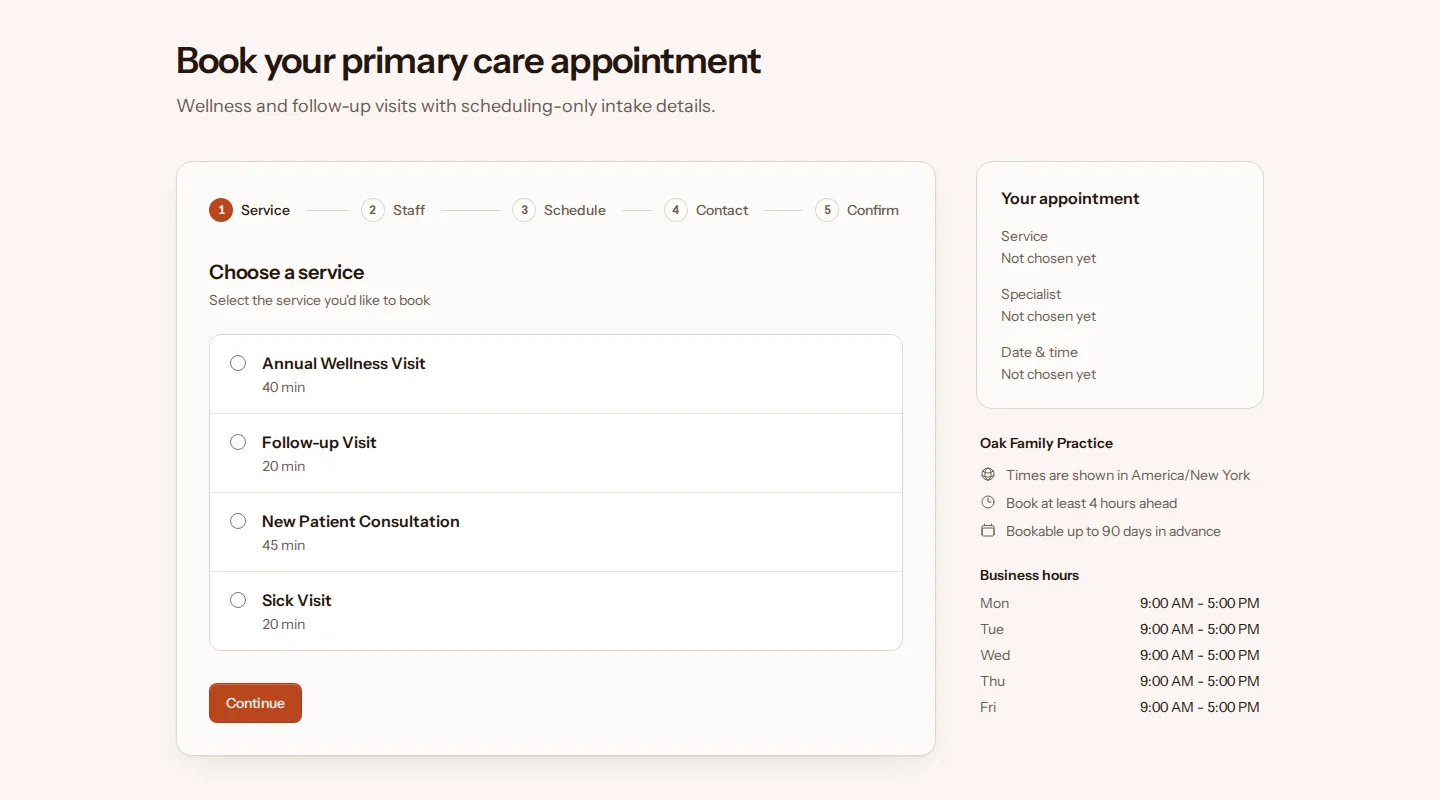
Patients book a sick visit, a follow-up or their annual wellness visit online, with their own doctor or the first one free. The family practice preset is set up for short visits and same-day booking.
Starting menu
Hours and rules
- Open Mon–Fri
- 9:00 AM–5:00 PM
- Book at least
- 4 hours ahead
- Book up to
- 90 days ahead
- Cancel online until
- 24 hours before
- Reschedule online until
- 24 hours before
You can change every service, hour and rule. Free, with common-sense limits. No card needed.
Room for same-day sick visits
A family practice runs on short visits. The preset books a sick visit or a follow-up as 20 minutes, a wellness visit as 40 and a new patient consultation as 45, with 10 minutes after each for notes and the room.
Notice is 4 hours, so a patient who wakes up sick can still book an afternoon slot that day. Online cancellations and changes close 24 hours before, and when a visit on a full day is canceled or moved, everyone on that day's waitlist gets an email.
Prices are left off, as on the dental preset. Clinical notes stay in your records system. TidyBookings handles the appointment itself: the booking, the confirmation, one reminder email 2 days before and the patient's own link to cancel or reschedule.
How patients book
-
1 · Pick a service
They see your menu with each service's length.
-
2 · Choose a doctor
A doctor by name, or anyone available.
-
3 · Pick a time
Only free times appear, at least 4 hours ahead and up to 90 days out.
-
4 · Book as a guest
A name and email address, plus a phone number if they like. Nobody needs an account.
The confirmation email has add-to-calendar links for Google, Outlook and Yahoo, and a private link to reschedule or cancel until 24 hours before. A reminder follows 2 days before the appointment, while they can still change it online. If the day they want is full, they can join that day's waitlist.
Try these steps at the demo family doctor
Guides for family practices
Start from the family doctor preset
Sign up, pick Family doctor as your trade, and your booking page starts with this menu, these hours and these rules. Change any of them before you share the link.
Free, with common-sense limits. No card needed.